



Every purchase requisition and purchase order in SAP S/4HANA Public Cloud is assigned to a Purchasing Group, making it one of the key configuration objects that drives procurement operations. A Purchasing Group represents an individual buyer or purchasing team and is used to establish document ownership, support procurement reporting, and streamline operational responsibilities throughout the sourcing process.
Unlike Plant, Storage Location, and Purchasing Organization, the Purchasing Group is not maintained in Organizational Structure in Central Business Configuration (CBC). Instead, it is configured directly within the SAP S/4HANA Public Cloud system through a dedicated configuration activity.
Configuration Steps
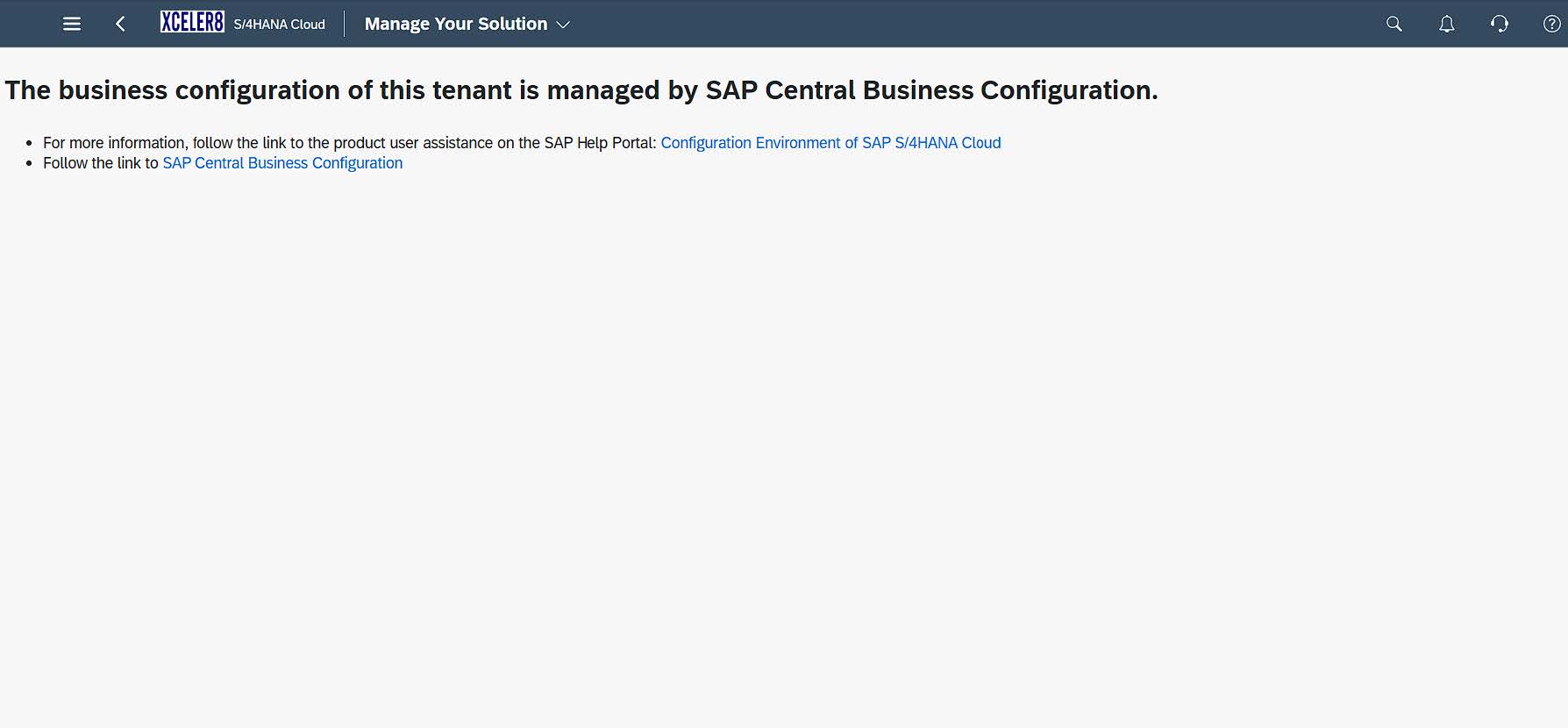
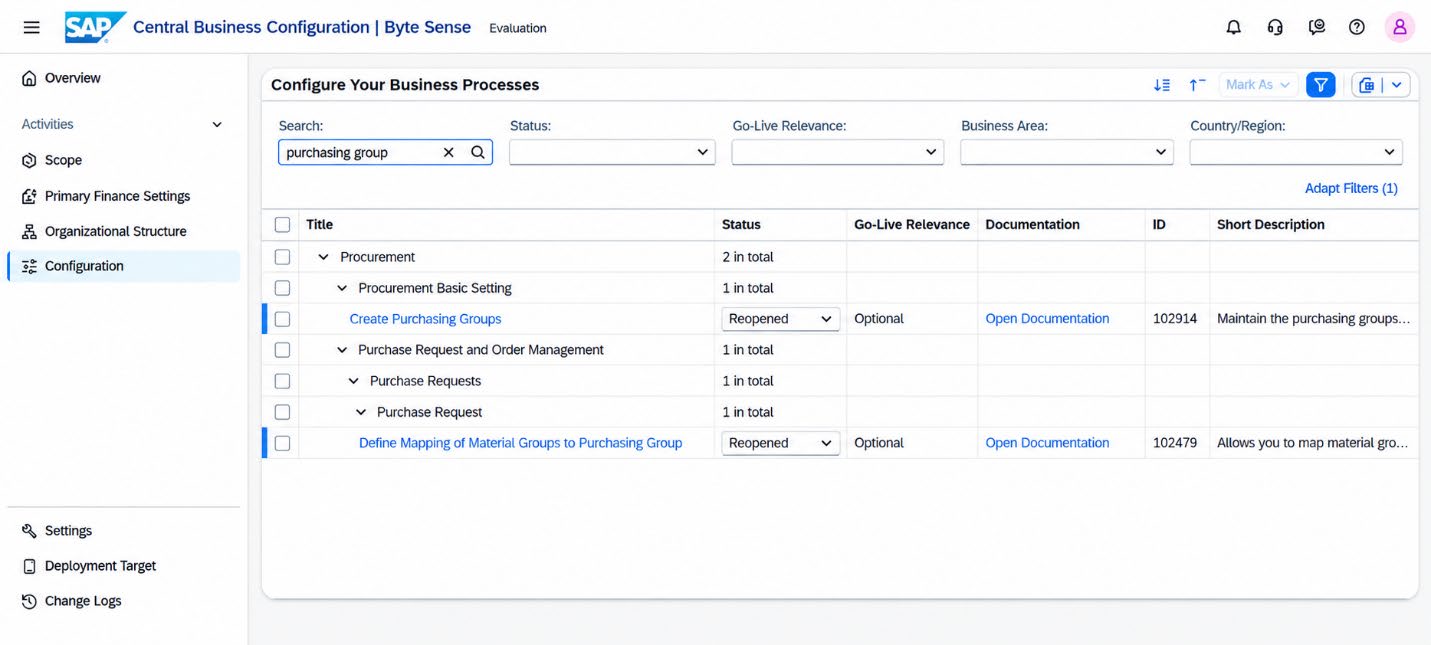
Although the Purchasing Group is not maintained as part of the CBC organizational hierarchy, the configuration activity can still be initiated from CBC. Navigate to Manage Your Solution → SAP Central Business Configuration → Configuration and search for Create Purchasing Groups. Selecting the activity redirects you to the corresponding configuration environment (for example, the Development system), where the actual maintenance is performed.
- Launch the Manage Your Solution app.
- Navigate to SAP Central Business Configuration.
- Search for Create Purchasing Groups.
- Select New Entries to add a new Purchasing Group.
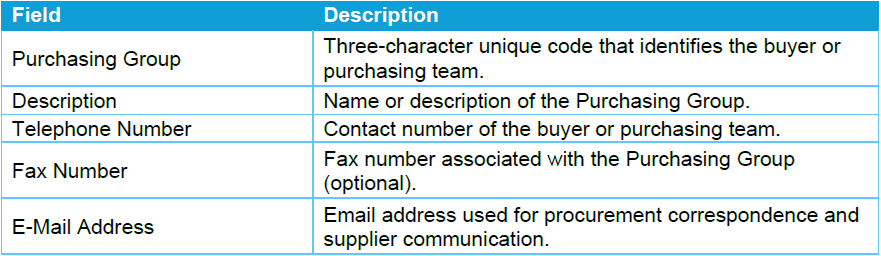
- Maintain the following information
- Review the entered information and select Save. The system will prompt you to enter a Customizing Transport Request (TR). Select an existing transport request or create a new one, then confirm the assignment to save the Purchasing Group configuration.
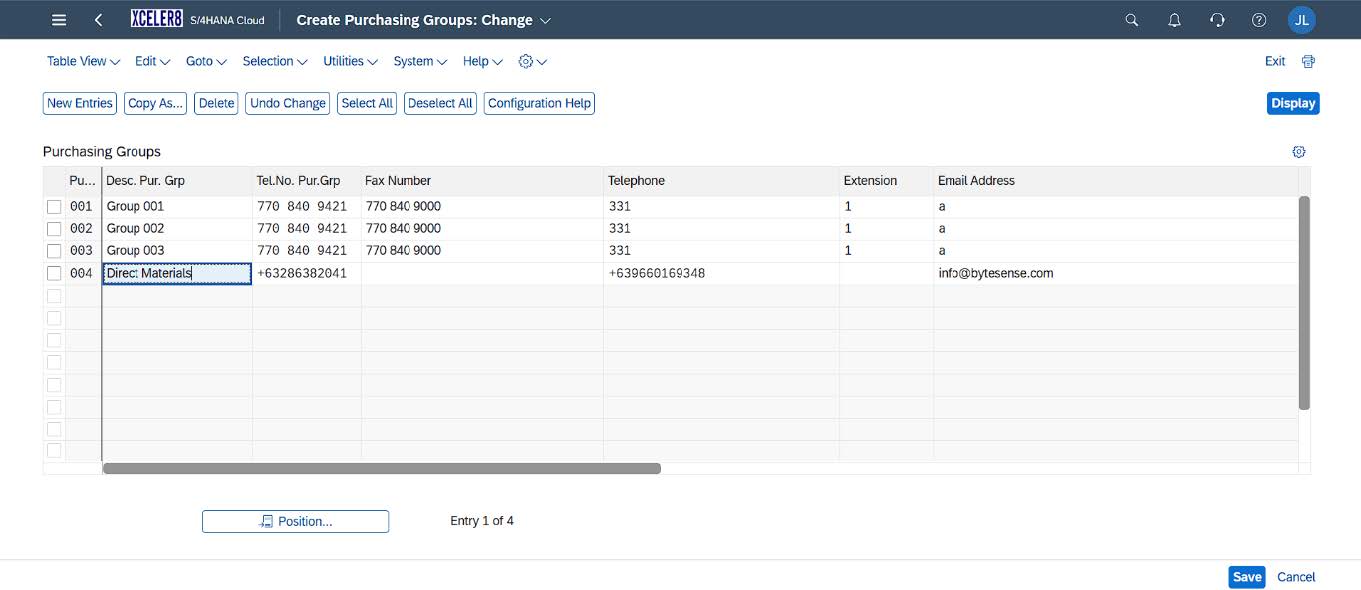
Once created, the Purchasing Group is available for assignment in procurement transactions and master data, including Purchase Requisitions, Purchase Orders, and Purchasing Info Records. Maintaining accurate contact information also enables the Purchasing Group details to be printed on procurement documents and used as the primary point of contact for suppliers.