



A Storage Location (SLoc) is the lowest-level organizational unit in SAP inventory management. It is the physical or virtual location within a plant where stock is stored and managed. It allows the differentiation of materials like raw material, semi-finished goods, and finished product within a plant. A plant can have multiple storage locations depending on the type of the product but at least one storage location is a must for a plant.
Prerequisites
- Plant must already exist in the system — storage locations are always assigned to a plant.
- Key user role required: SAP_BR_BPC_EXPERT (Business Process Configuration Expert)
Configuration Steps
- Open Central Business Configuration (CBC).
- Navigate to Organizational Structure and Click Edit.
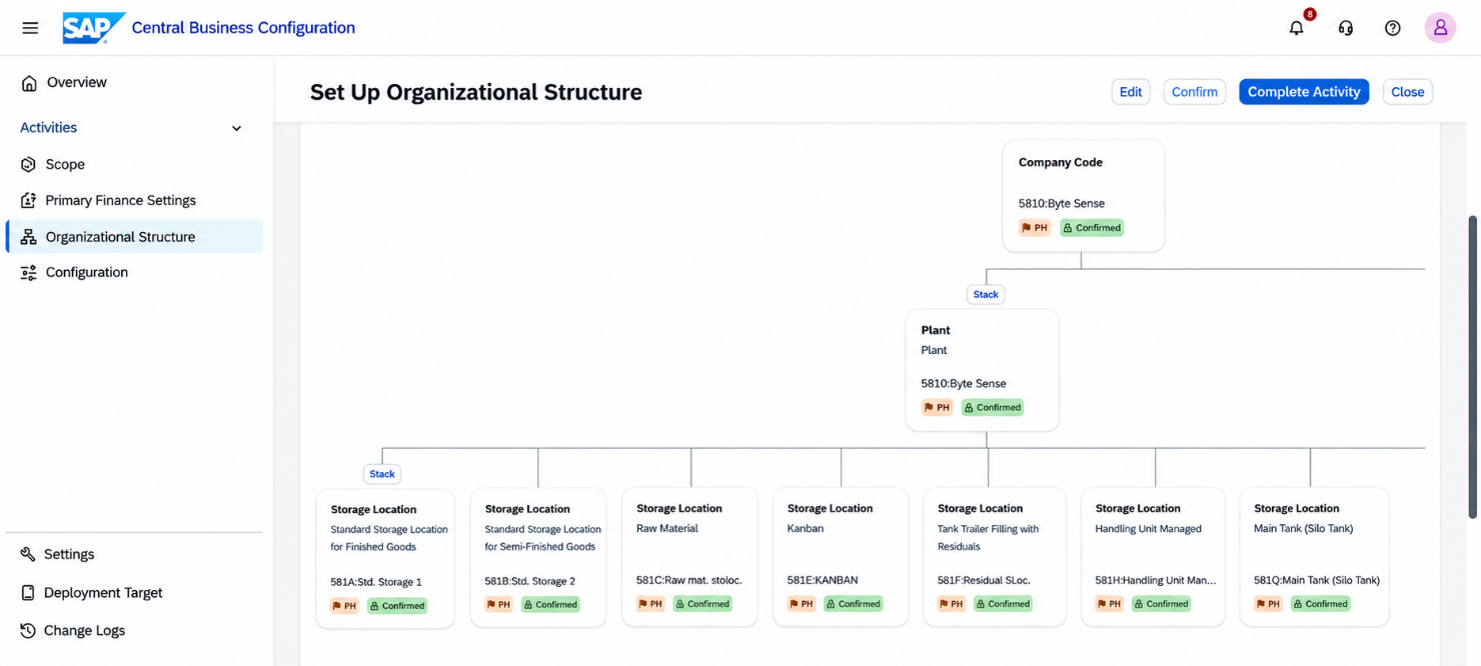
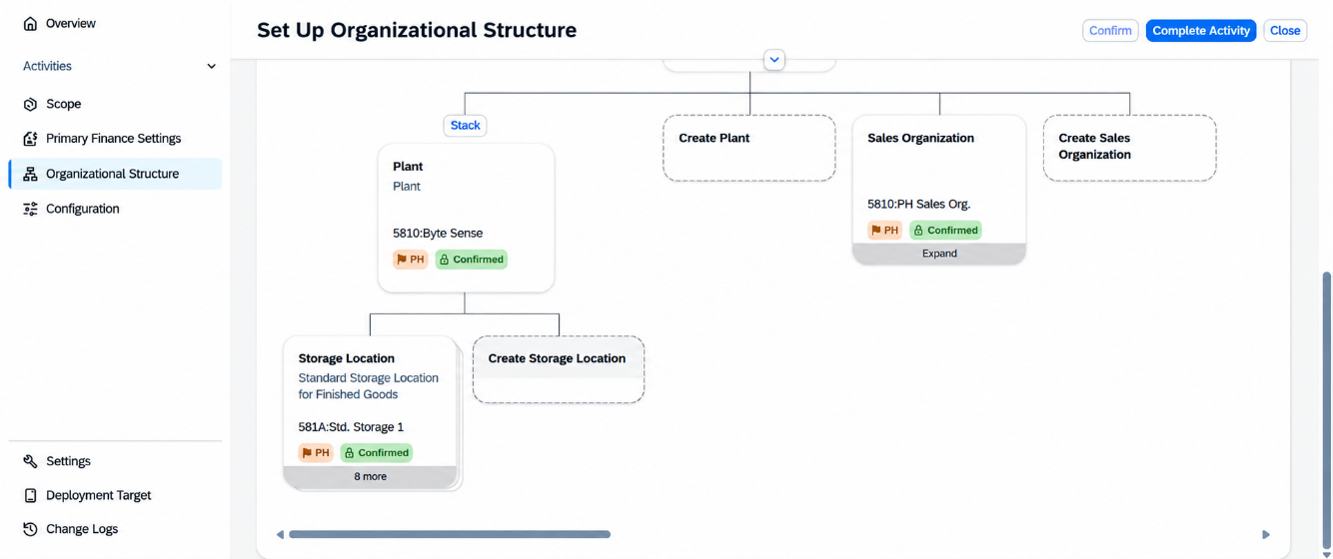
- Select the target Plant where the Storage Location will be created.
- Click Create Storage Location.
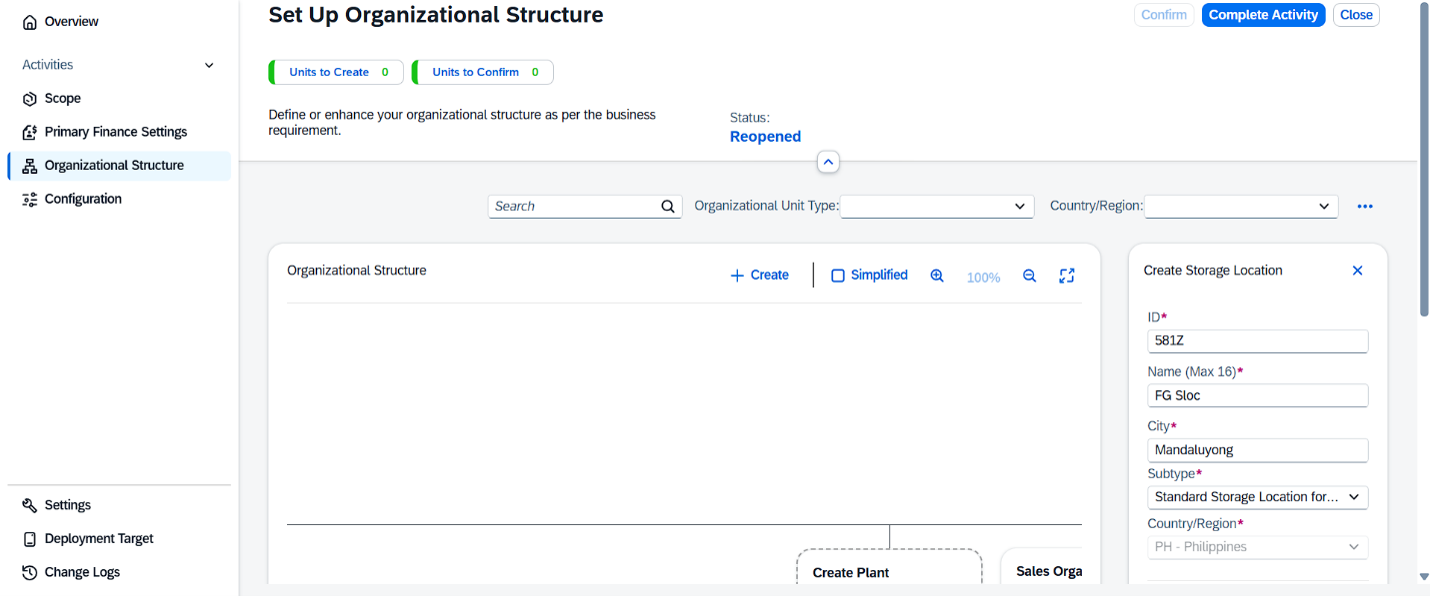
- Enter the required details:
- Storage Location Code (ID)
- Name
- City
- Subtype
- Save the changes.
- Click Complete Activity and Deploy the organizational structure changes by going to the Overview tab to make the new Storage Location available.
Note: New Storage Locations cannot be created through SSCUIs or IMG in SAP S/4HANA Public Cloud. It must be maintained via CBC > Organizational Structure.
Best Practices
- Follow a consistent naming convention for Storage Location codes and descriptions.
- Create Storage Locations based on operational needs, such as warehouses, production areas, or offsite facilities.
- Verify that the new Storage Location is assigned to the correct Plant before confirming the changes.
- Perform the configuration in the appropriate CBC workspace and complete the deployment process before testing in the target system.
By maintaining Storage Locations through the Organizational Structure in CBC, organizations can ensure that new SLocs are properly configured and deployed to SAP S/4HANA Public Cloud while maintaining a consistent and centralized organizational setup.