


What Is Material Valuation?
Material valuation in SAP MM has two dimensions. Price Control determines how the material price is updated: If V (Moving Average Price) is assigned to a material, the price is automatically adjusted in the material master record when price variances occur. If goods movements or invoice receipts are posted using a price that differs from the moving average price, the differences are posted to the inventory account. This results in a change in the moving average price and the value of the stock. However, if S (Standard Price) is assigned to a material, the value of the material is always calculated at this price. If goods movements or invoice receipts contain a price that differs from the standard price, the differences are posted to a price difference account, suitable for finished and semi-finished goods with stable production costs as the variance is not taken into account in valuation.
The Valuation Class connects the material to a set of G/L accounts for automatic account determination. When a goods movement occurs goods receipt, goods issue, transfer posting SAP uses the Valuation Class to find the correct G/L account to post to, via the Account Determination configuration.
Configuration Steps — Define Valuation Classes
- Open IMG.
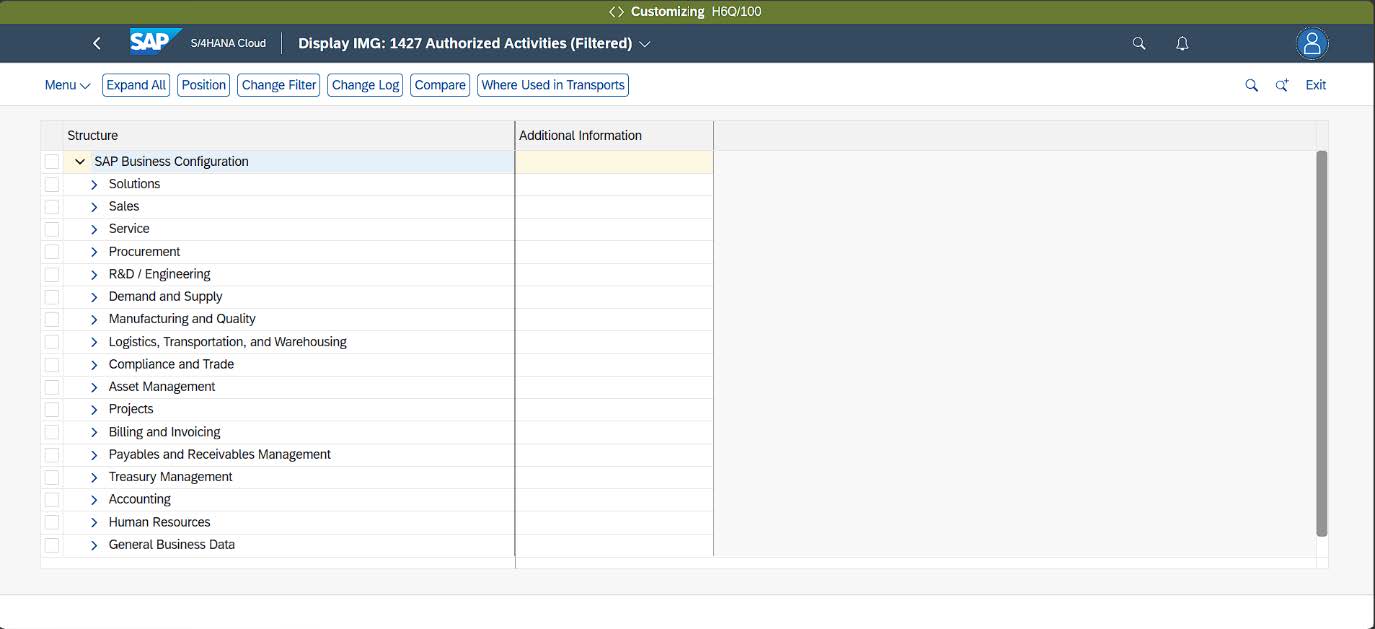
- Search Define Valuation Classes.
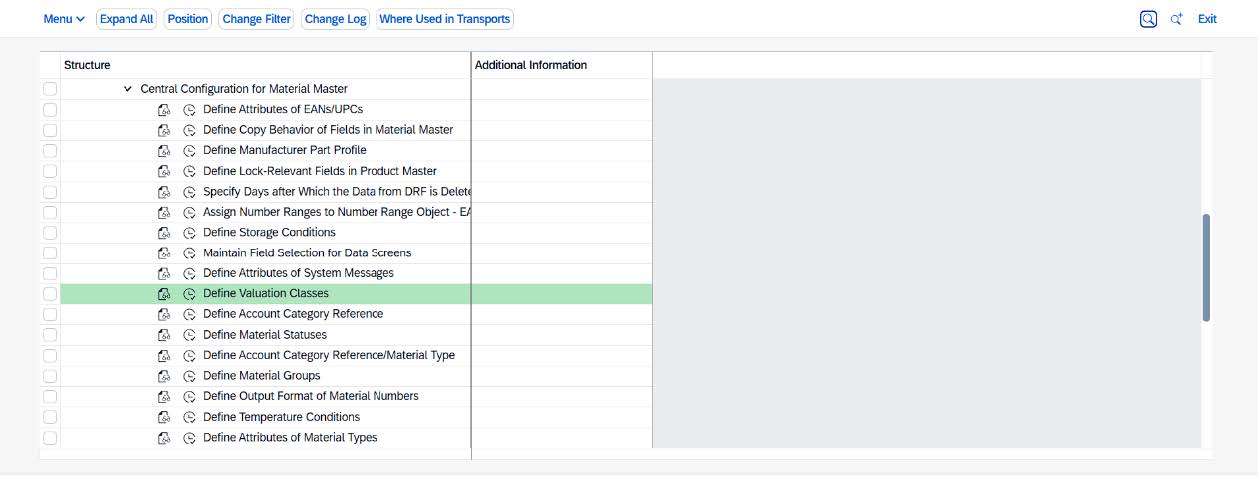
- Create New Valuation Class.
Click New Entries. Enter the Valuation Class code (4 characters), description, and assign the Account Category Reference. - Select Account Category Reference.
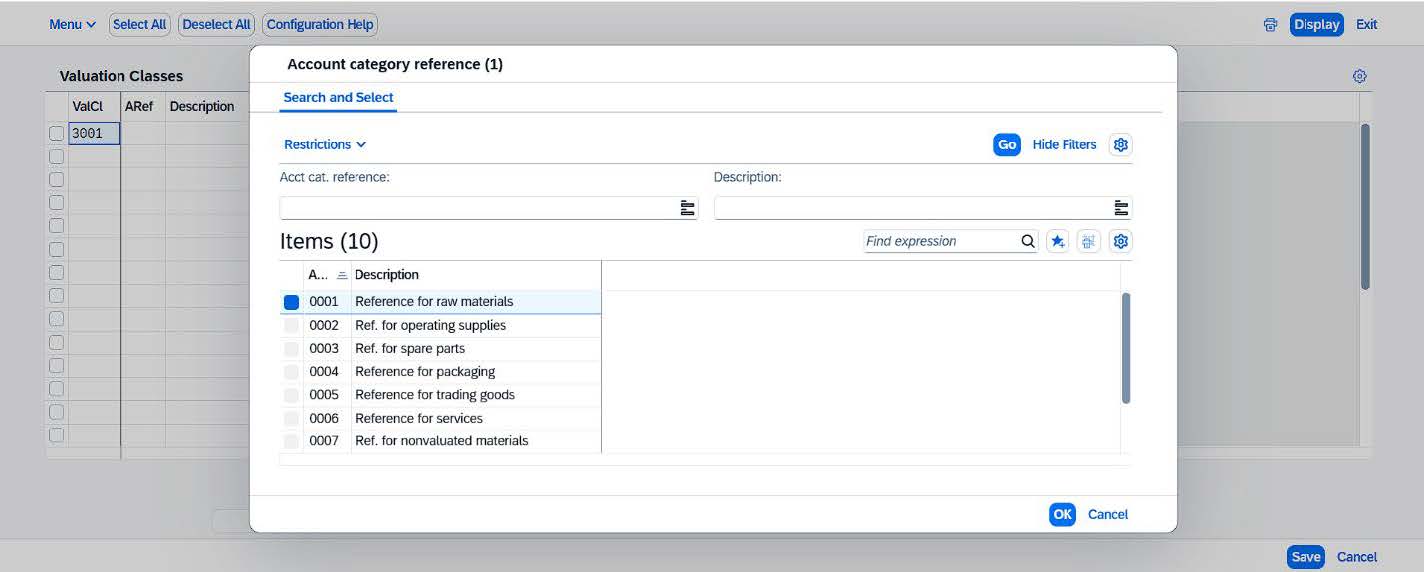
Each Valuation Class is linked to an Account Category Reference.
- Enter the description for the new valuation class.
- Save and transport.
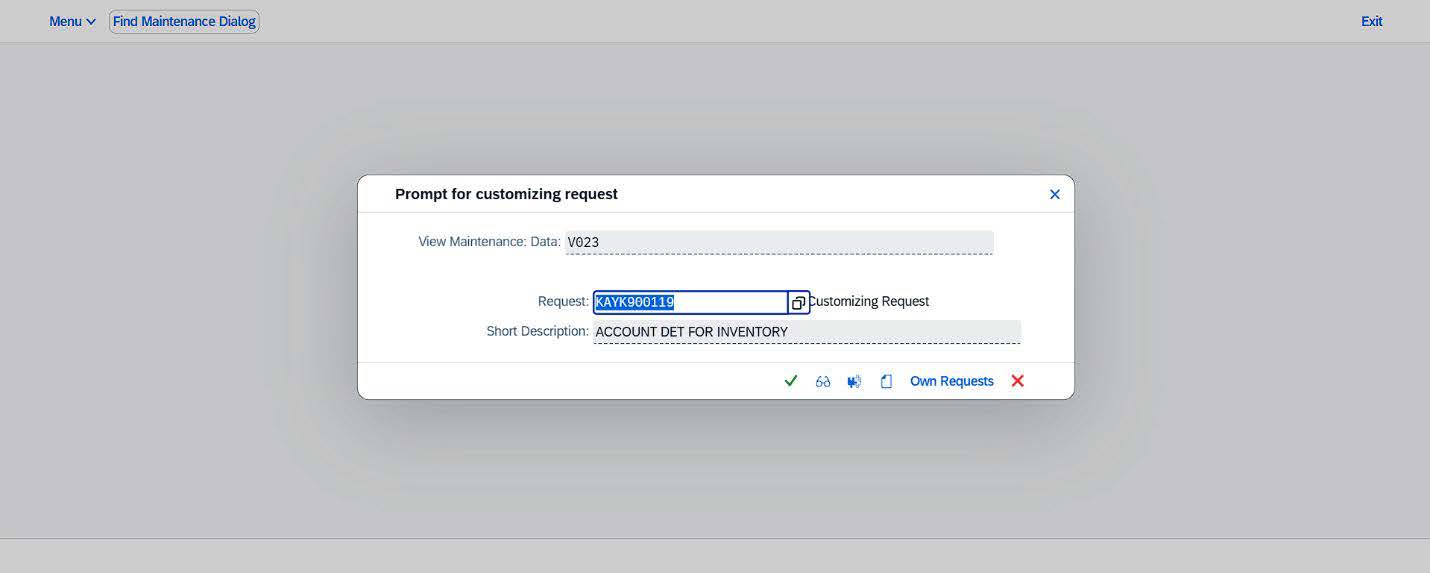
The system will prompt you to assign the changes to a transport request. Select New Request and enter a description for the transport request (e.g., New Valuation Class – 3001). Save the request to complete the configuration.